Museum audio guide app: app store or web app?
For an audio or media guide that visitors use on site, a web app is usually the better choice: they scan a QR code and the guide starts in the browser, with no app store at all. An app from the app store mainly pays off if it is intended to be used on a regular basis, beyond just a single visit.
Downloadable app and web app at a glance
| Criterion | Web app with Guide Kit | Downloadable app |
|---|---|---|
| Getting started for visitors | Web app with Guide Kit Scan a QR code, the guide opens immediately | Downloadable app Find, download and install the app, often on site over the museum Wi-Fi |
| Devices | Web app with Guide Kit Any smartphone with an up-to-date browser | Downloadable app Separate versions for iOS and Android |
| Changing content | Web app with Guide Kit Yourself in the Guide Kit Manager, live immediately | Downloadable app Depending on the app through a content management system or an app update reviewed by the stores |
| Costs | Web app with Guide Kit Monthly plan including hosting, updates and support, free to try | Downloadable app Development, store fees and ongoing adaptation to new iOS and Android versions |
| Without internet | Web app with Guide Kit Offline mode included, content can be downloaded in advance | Downloadable app Offline mode possible |
| Sharing | Web app with Guide Kit A link is enough, e.g. on your website, in newsletters or on posters | Downloadable app Links to the app stores, download required |
Getting started: a QR code or link instead of the app store
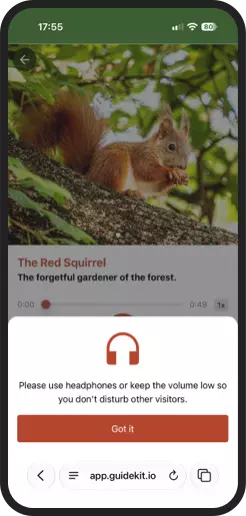
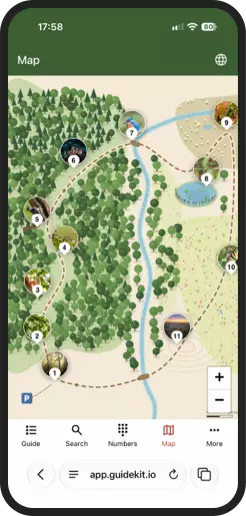
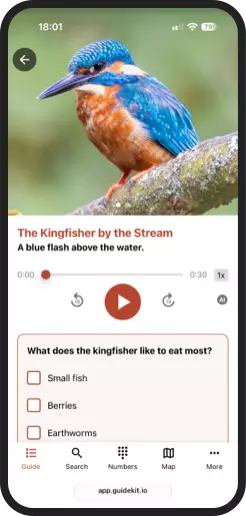
To use a downloadable app, visitors must first find it in an app store, download it, and install it – often on site, using the museum's Wi-Fi and potentially dealing with limited storage space. Each of these steps creates a barrier for users. A web app, by contrast, requires only a single step: scanning a QR code, which opens the guide directly in a browser. You can place these QR codes at the entrance, on tickets, on posters, or right next to individual exhibits. Visitors do not need to create an account or register. It also eases the strain on your Wi-Fi: instead of numerous simultaneous app downloads at the entrance, a web app only fetches content as and when it is needed.
One system for all devices
A downloadable app needs separate versions for iOS and Android, each developed, tested and published in the stores. A web app runs on any smartphone with an up-to-date browser, iPhone or Android, and on tablets too. You maintain your content in one single place.
Changing content without an app update
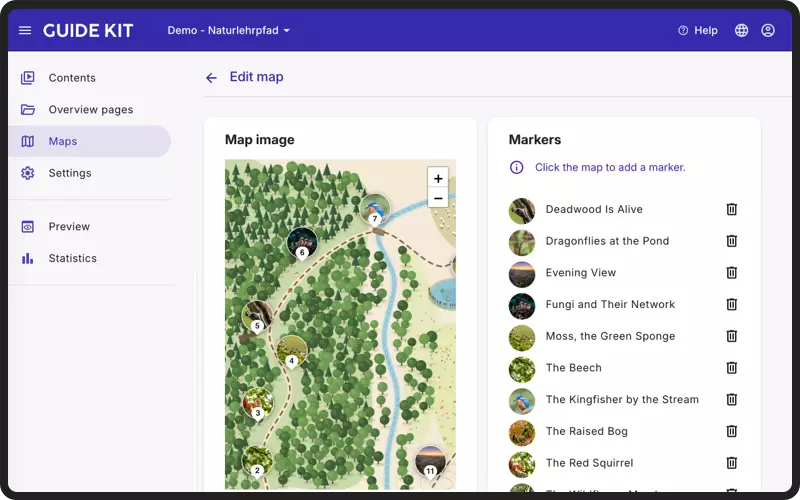
A typo, a new exhibit, a temporary exhibition: with Guide Kit you change content yourself in the Guide Kit Manager, and the change goes live immediately. With a downloadable app, it depends on how it is built: some content can be managed through a content management system, while new features and often new content require an app update that the stores have to review first. Because the review takes time, some changes to an app need more lead time.
Costs: a plan instead of a development project
A downloadable app is a development project for two platforms, with app store fees and ongoing adaptation to new iOS and Android versions. That generally makes development and maintenance considerably more expensive than a ready-made system. With Guide Kit you book a monthly plan, with hosting, updates and support included. You can start for free and build your guide at your own pace before you publish it.
See all plans and pricing →Does a web app work without internet?
Yes. Guide Kit offers an offline mode that is included in every plan and ideal for buildings with thick walls, basements or trails without network coverage. Visitors decide for themselves whether to download the content in advance, for example before their visit or over the museum Wi-Fi. After that, the guide works without an internet connection too.
Mobile website, web app, PWA: what is the difference?
Not every browser solution is the same. A mobile-optimized website shows content page by page and only works with an internet connection. A web app, often developed as a progressive web app (PWA), behaves like an app instead: smooth navigation and content that is available offline too. Guide Kit is such a web app: it offers the advantages of an app without having to install one.
Sharing and being found
Guests open a web app via a link – on your website, in a newsletter, on social media, or as a QR code on posters. With the Premium plan, the guide can run under your own domain if you wish, such as guide.your-museum.com. An app, by contrast, can only be installed from the app stores.
When a downloadable app makes sense
A downloadable app is worthwhile if visitors are meant to use it regularly, for example with tickets, membership and push notifications, or if it needs device features that are not available in the browser, such as augmented reality or Bluetooth beacons for indoor positioning. For an audio or media guide that is only used during the visit, a web app is usually the better choice, as it is easier to access and is therefore used more often.
Frequently asked questions about audio guide apps
Does the guide work on iPhone and Android?
Yes. Guide Kit runs in the browser of any up-to-date smartphone, whether iPhone or Android. There is no need for separate versions.
Do visitors have to register?
No. Visitors scan the QR code and start right away, without an account, registration or download.
Is a web app slower than a downloadable app?
No, an audio guide web app is not slower than a downloadable app. For audio, images, texts and maps, it makes no practical difference. Differences tend to show in demanding 3D or augmented reality applications, which an audio or media guide usually does not need.
Ready for your own media guide?
Start with Guide Kit for free – no credit card, no commitment. Or arrange a personal walkthrough.